A type vocabulary for AI posters: say "high-contrast serif", not "nice font"
Image models cannot read "a nice font". Learn the words type designers use, and how to word a poster headline so Ideogram V4.5 or Flux 3 letters it right.
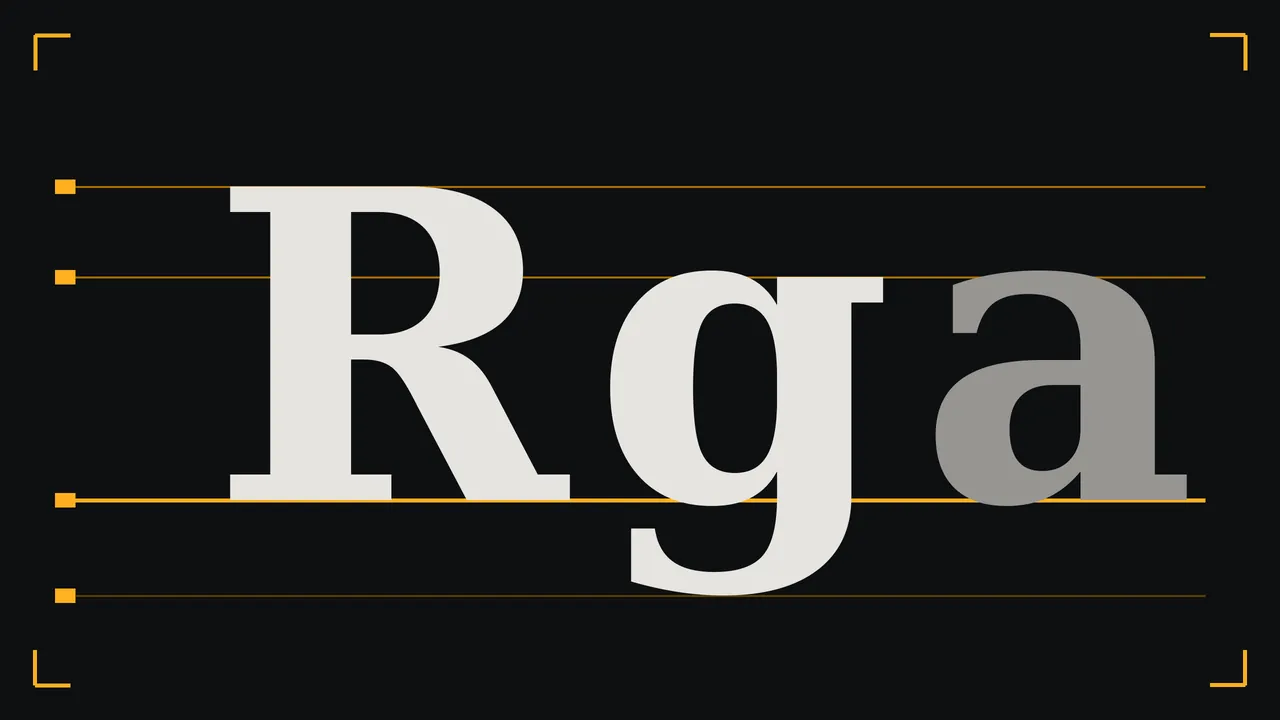
Ask an image model for a poster in "a nice font" and you get the average of every poster it has ever seen: a medium-weight sans that looks like nothing in particular. Ask a sign painter for the same thing and they would laugh. The fix is not a magic phrase. It is the vocabulary that type designers use to talk to each other, because that is the language lettering is described in, and a model answers best to the way things are described.
This is a short field guide to that vocabulary, plus the three habits that decide whether the words in your picture come out spelled right. It is written for lettering that lives inside the image, the kind you want on a gig poster, a book cover mock-up or a shop window.
Name the family, not the font
You can type a font name and sometimes the result will be close, but the model is matching a feeling, not loading a file. Family words are more reliable, because they describe shapes. Here are the ones worth memorising, with what each tends to say to a reader:
- Grotesque sans: slightly uneven, a little blunt, 20th century street signs and record sleeves. Honest and urgent.
- Geometric sans: circles and straight lines, a round O and a single-storey a. Clean, modern, a bit cool.
- Humanist sans: letters with the rhythm of handwriting. Friendly, good for anything that has to be read slowly.
- Old-style serif: soft, bracketed serifs and gentle contrast. Books, wine labels, patience.
- High-contrast serif (a Didone): hairline strokes against heavy ones. Fashion, opera, anything that wants to look expensive.
- Slab serif: heavy rectangular serifs. Wanted posters, farm shops, hardware.
- Blackletter: dense, angular, medieval. Metal bands and newspaper mastheads, and very little in between.
- Monoline script: a single stroke weight joined into a cursive. Diners, cafes, signatures.
- Stencil and condensed gothic: tall, narrow, shouting. Crates, protest banners, tour dates.
- Monospaced: every letter the same width, typewriter or terminal. Notes, receipts, tech.
Then describe the letters themselves
Family is the genre. Four more words tune the voice inside the genre: weight (hairline, light, regular, bold, black), width (condensed, normal, extended), contrast (low or high difference between thick and thin strokes) and spacing (tight, loose, "widely tracked capitals"). "Extended black grotesque, tight spacing" and "light condensed grotesque, wide tracking" are the same family and opposite posters.
Case matters too, and the model usually follows it. If you want the headline in capitals, write the quoted text in capitals. If you want small caps or lowercase, write that. Do not rely on the description to change the case of a string you have quoted.
Quote the text, keep it short, say where it sits
The model spells best when the words are quoted exactly, few and placed. Every extra word is another chance for a swapped letter. Count your characters before you write the prompt: a headline of one to three words is safe territory, a subtitle of a handful of words usually works, and a paragraph of fine print will be convincing gibberish. Set the fine print yourself afterwards.
A letterpress poster on warm cream paper, deep green ink only. The headline reads "HARBOUR LIGHTS" in a tall condensed grotesque, all capitals, tight spacing, set in the upper third. Below it, in small widely tracked monoline capitals, the line "A SMALL FILM NIGHT". The lower two thirds is empty paper with a single thin horizontal rule.Three levels, never four
A poster that works from across the room has a hierarchy: a headline you read first, a second line that explains, and a small line for the practical detail. Ask for exactly those three and assign a different style to each, as the prompt above does. When you request four or five competing lines, the model flattens them to the same size and the poster goes grey. If you need the date and the address, add them yourself in layout; they are the lines where a wrong digit costs you the most.
Which model, which setting
Ideogram V4.5 describes itself as built around typography, composition and quality, and it is the first one to try for a lettering-led picture. Its settings are simple: a quality tier (low, medium, high), a size tier of 1k or 2k, and a list of ratios from square to 9:16. A prompt-expansion switch sits under the advanced settings and is off by default. Leave it off while you are testing exact wording, because an expanded prompt is no longer the prompt you typed.
Flux 3 also lists typography in its description, with a wider spread of ratios and 1k, 2k and 4k output; the settings note that 4K can take several minutes. A sensible routine is to test the wording on a low tier, pick the layout you like, then spend a higher tier once on that exact prompt. Every price shows on the Generate button before you press it, and a first top-up starts at €3.00.
A tall theatre poster in the style of a 1920s playbill. The title "THE LAST TRAM" in a black slab serif, uneven ink, slight bleed at the edges. Under it, in a light humanist sans, "EVENINGS AT EIGHT". Aged ivory paper, one red ink and one black ink, a small tram silhouette at the bottom.What this will not do
The model draws letters; it does not typeset. It will not hold exact kerning, it will not give you the same font twice with certainty, and accented capitals and non-Latin scripts are where spelling slips most. A long word may lose a letter in the middle. Check every quoted string letter by letter before anything goes to print, and if the poster is final, treat the render as the picture and put the real type on top in your layout tool. The studio gives you an image file, not a font and not a layout.
Questions
How do I make an AI image spell my headline correctly?
Put the exact text in quotes, keep it to a few words, state its case, and say where it sits. Generate several versions on a low tier, then check each letter. Fine print and addresses are best added in a layout tool.
Can I ask for a specific font by name?
You can, but you get an approximation, not the font. Describing the family (grotesque, slab serif, high-contrast serif), the weight and the spacing is more reliable.
Which image model is best for text in posters?
Ideogram V4.5 and Flux 3 both list typography among their strengths. Try the same prompt on each and keep the one that spells and spaces your words better.