One afternoon, one invented roastery: building a brand identity board with AI
A worked brief for a coffee roaster that does not exist: lock a style from references, draw the mark, test the wordmark, mock the bag and lay out the board.
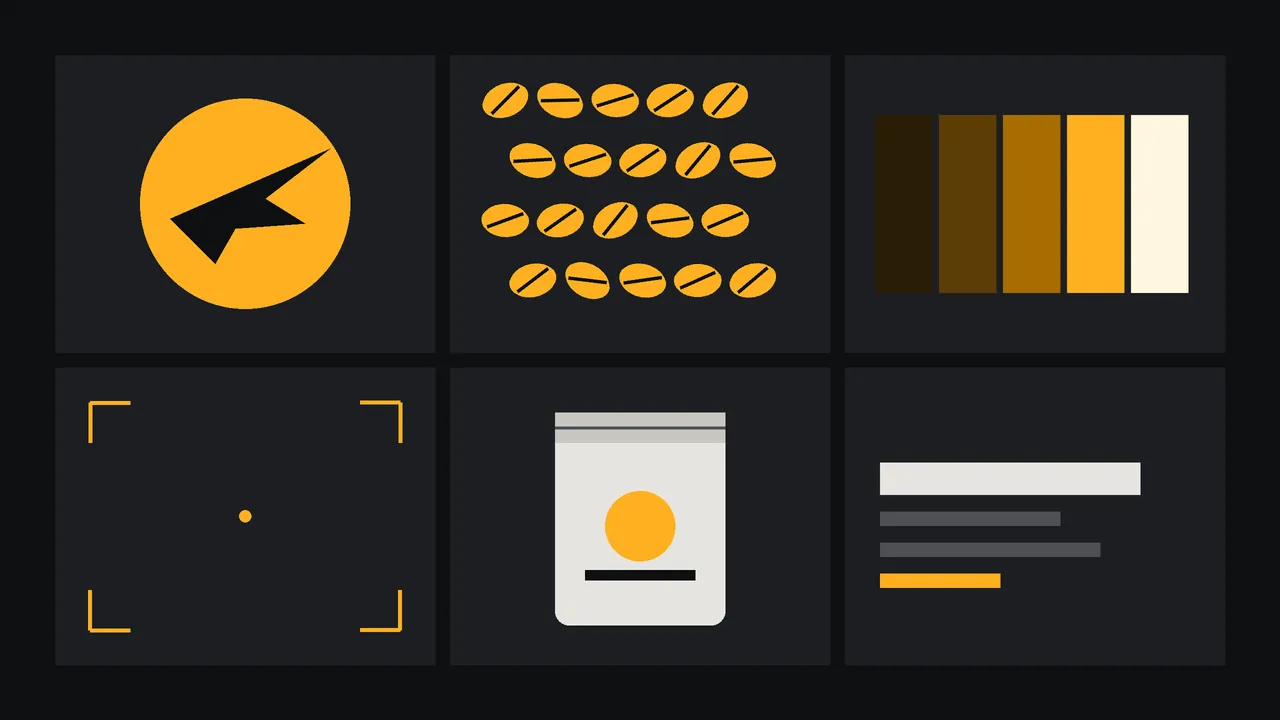
Here is a brief that arrives on a Tuesday. A roastery called Tern & Ember, which does not exist, sells beans by post and wants a one-page identity board by the end of the day: a mark, a wordmark, a palette, a pattern and a picture of how it sits on a bag. No budget for a studio. The honest question is how far AI generation gets you in an afternoon, and where you take the pencil back. This is the order of work I would follow, with the prompts, and the checks at each step.
Everything below is a plan to run, not a report of a perfect result. Generation varies from one run to the next, and the point of each step is what you look at, not what you hope for.
Hour one: write the brief in five lines
Before you touch the studio, write down the name, three adjectives (say: warm, exact, a little wry), two colours, one object the brand is built around (an ember glowing under a sheet of paper, a small bird in flight) and one thing it must never look like (a cartoon, a pirate, a coffee-shop cliche). That last line is the most useful. Paste all five lines at the top of every prompt that follows, and the identity starts to hold together before any tool helps.
Lock a style from references
Gather up to ten images that carry the look: your own sketches, photographs of printed things you own, scans of paper textures. Do not use someone else's logo as a reference. Then run Recraft V4 Create Style, which turns those images into a reusable style ID. It has a base style (any, or vector illustration) and a match setting, precise or flexible. Start with precise.
Recraft V4 Style Text to Vector accepts that style ID, or the reference images directly, along with the prompt and a ratio. Once the ID exists, every asset after this step draws from the same visual rules. Style locking narrows variation; it does not remove it. Expect to regenerate.
The mark: eight tries, one test
A simple emblem of a tern in flight with a small ember glowing under its wing, one amber colour on a plain dark background, bold solid shapes, centred, symmetrical balance, no text, no gradients, no outlinesChoose with the squint test. Shrink all eight to the size of a browser tab icon. The mark that is still recognisable is the one that works on a bag, a stamp and a social avatar, and it is often not the most detailed one. If none survive, simplify the prompt, never the test.
The wordmark: three families, quoted text
Names with an ampersand are a classic place for mistakes, so test early with Ideogram V4.5, a model that lists typography among its strengths. Keep the text quoted and short, and change only the type family between runs.
A wordmark on warm cream paper reading "Tern & Ember" in a high-contrast serif, tight spacing, dark brown ink, centred, plenty of empty space around it, flat, no other elementsPalette and pattern
Ask for a swatch strip on its own, five flat rectangles from darkest roast to cream, then a repeat pattern of tiny beans and embers using only those tones. Colour from a generator is an approximation; sample the swatches in your design tool and write the codes down yourself. That is the one list the whole identity will be built on after today.
A bag, with the mark on it
Now a mock-up. Nano Banana 2.1 Edit accepts up to 14 reference images and offers 1k, 2k and 4k output, so you can hand it the mark, the wordmark and a plain paper-bag photo together and say which one goes where.
Place the emblem from the first image and the wordmark from the second on the front of the kraft paper coffee bag in the third image, centred on the label area, printed in dark brown ink, natural light and soft shadow, keep the bag's shape and folds unchangedLay out the board
Assemble in a layout tool, not in the studio: a grid of six tiles, the mark large, the wordmark under it, the swatch strip with its codes typed in by hand, the pattern, the bag, and one line of voice ("roasted slowly, shipped quickly"). A board is a decision document, so label what you have decided and what is still a sketch.
What you must still do yourself
A generated mark is not a cleared trademark; similar marks may exist, so search registers before you trade under it. The same style ID will not give pixel-identical shapes twice, so you will redraw or clean the final mark by hand. Generated lettering is a sketch, and a vector asset needs checking at the nodes. The studio gives you images and vectors to work from; the decisions, the type and the legal checks stay with you. For preparing the artwork for printing, see eight rules for one-ink printing.
Questions
Can AI design a full brand identity?
It can draft the parts: a mark, a wordmark test, a palette, a pattern and a mock-up. A person still chooses, redraws and checks them, and confirms it is clear to use.
How do I keep a consistent style across logos and patterns?
Create a reusable style from up to ten of your own reference images, then use its ID in each generation. The match setting controls how closely the result follows it.
Is an AI-generated logo safe to trademark?
Not automatically. Search trademark registers for similar marks first, and ask a professional before you rely on it commercially.